

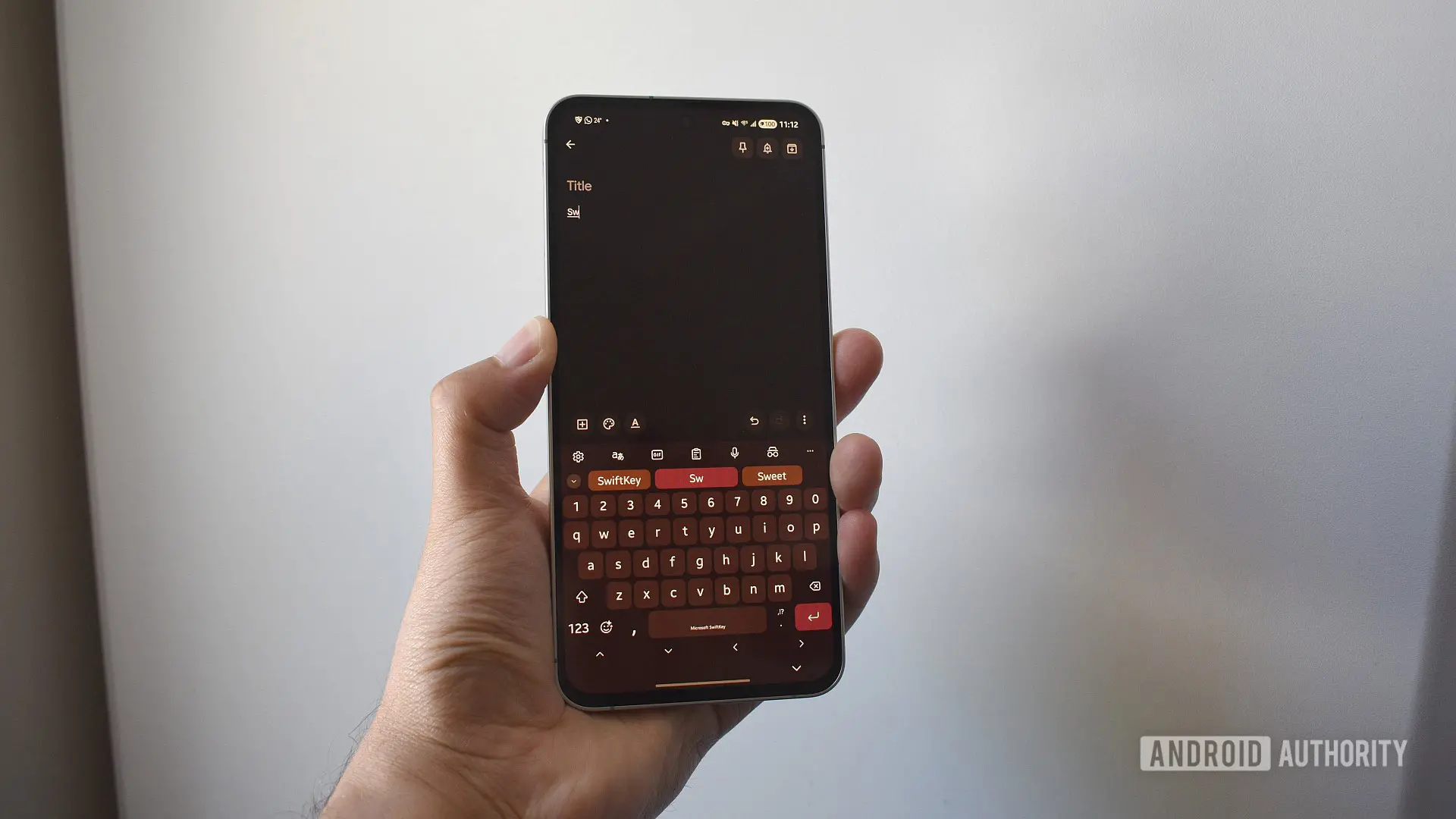
If you are a longtime user of the SwiftKey keyboard on Android or iOS, you have likely come to rely on its predictive text and swipe typing features. These features are powered by a personalized dictionary and prediction model that evolves based on your typing habits. Until now, SwiftKey allowed you to back up this data using your Google or Apple account, syncing it across devices. However, Microsoft, which acquired SwiftKey in 2016, has announced that it will retire this backup system effective May 31, 2025. After this date, any data stored under Google or Apple logins will be permanently deleted.
Why Is Microsoft Making This Change?
Microsoft has been gradually integrating SwiftKey into its own ecosystem, aligning the keyboard with Microsoft account services like OneDrive. The company first notified users in early 2024 about the planned deprecation of third-party backups. Initially set for a June 2024 deadline, Microsoft extended the cutoff several times, but has now confirmed that May 31, 2025 is the final date. The move is part of a broader strategy to unify user data under Microsoft accounts, similar to how the company consolidated logins for products like LinkedIn and Skype. According to Microsoft's support documents, the decision aims to provide a more secure and integrated backup experience through OneDrive, which offers end-to-end encryption for stored files.
While the change may frustrate users who prefer not to create a Microsoft account, the keyboard itself will continue to function normally. However, without a backup, your personalized dictionary will be confined to the device on which it was built. If you switch phones or reset your device, you will lose years of accumulated typing shortcuts and customized predictions. For power users who rely on swipe typing and shortcuts for complex jargon or names, that loss can be significant.
What Data Will Be Deleted?
The data at risk includes your personal dictionary — a list of words and phrases you have typed that SwiftKey has learned — and the associated prediction model. The dictionary can contain hundreds or even thousands of entries, including names, acronyms, slang, and even typos that you have trained SwiftKey to accept. The prediction model uses machine learning algorithms to anticipate your next word based on context, and it becomes more accurate over time. Without a backup, you would have to rebuild this model from scratch on each new device.
Additionally, the Backup & Sync option within SwiftKey's settings will become inaccessible after the deadline. This means you will no longer be able to manually trigger a sync or restore from a previous backup. Microsoft emphasizes that only data associated with your Google or Apple login will be removed; if you have already switched to a Microsoft account, your OneDrive backup remains intact.
Step-by-Step: How to Save Your SwiftKey Data
Fortunately, Microsoft has provided a straightforward method to export your personal dictionary and transfer it to a Microsoft account. The process requires a web browser and a Microsoft account (which is free to create if you do not already have one).
Step 1: Export Your Data
Open the Microsoft SwiftKey data portal on a desktop or mobile browser. You can also navigate there from within the SwiftKey app by going to Settings > Account > View and manage your data. Select your current login provider (Google or Apple) and sign in. Tap on "View data" to see the full list of words in your personal dictionary. Scroll down and choose the "Export all" option to download a file (typically a .csv or .txt format) containing your dictionary and preferences. Save this file to a location you can easily access later, such as your device's Downloads folder.
Step 2: Prepare Your Microsoft Account
If you do not already have a Microsoft account, create one at account.microsoft.com. Once signed in, open OneDrive in a web browser. Navigate to the Apps folder (if it does not exist, create a folder named "Apps" at the root of your OneDrive). Inside that, create a subfolder named "SwiftKey". Upload the exported file you downloaded earlier into that folder. Ensure the file name remains unchanged for automatic detection.
Step 3: Log In to SwiftKey with Your Microsoft Account
On your phone, open SwiftKey's settings and tap Account. Choose the option to sign in with a Microsoft account. Complete the login process and grant the necessary permissions. The keyboard should automatically detect the uploaded dictionary file and restore your personalized data. You may need to give it a few minutes to sync. If you do not see your predictions immediately, verify that the file is correctly placed in OneDrive under Apps > SwiftKey. If the file is missing, try toggling Backup & Sync on and off, or manually import the file from the same settings menu.
Additional Considerations and Rewards
As an incentive to make the switch, Microsoft is offering up to 1,000 Microsoft Reward Points to users who migrate their SwiftKey data to a Microsoft account. These points can be redeemed for various perks, including discounts on Xbox games, gift cards at participating retailers, or charitable donations. The promotion is time-limited and may require you to opt in through the Rewards program within the SwiftKey app or Microsoft account page.
It is worth noting that the export and import process captures only the personal dictionary and prediction model. Other settings, such as theme preferences, keyboard layout customizations, and clipboard history (if saved under the Google account), may not transfer automatically. You may need to reconfigure those manually after switching accounts. Additionally, if you use SwiftKey on multiple devices, you will need to repeat the login process on each device using the same Microsoft account to re-enable cross-device syncing.
Historical Context: SwiftKey's Journey Under Microsoft
SwiftKey debuted in 2010 as a third-party keyboard app focused on predictive text technology. Its ability to learn from each user's writing style and provide highly accurate word predictions quickly made it a favorite among Android users. Apple acquired the company's technology in 2016 for an undisclosed sum, reported to be around $250 million, and integrated SwiftKey into iOS as a first-party keyboard option. However, Microsoft's acquisition of SwiftKey in 2016 (the same year) created a complex ownership situation: Microsoft owned the app on Android and Windows, while Apple owned the SwiftKey trademark for iOS. Over time, Microsoft phased out the Windows version but continued developing the Android app, adding features like multilingual typing, emoji predictions, and cloud sync. The decision to migrate backups to OneDrive is the latest step in Microsoft's effort to streamline its mobile product portfolio under its own cloud services.
What Happens If You Miss the Deadline?
If you do not export your data by May 31, 2025, your personal dictionary and prediction model stored with Google or Apple will be deleted from Microsoft's servers. The SwiftKey keyboard will remain functional on your current device, but you will no longer be able to back up that data or restore it to another device. If you later factory reset your phone or buy a new one, you will start with a blank dictionary. For casual users who type only common words, this may not be a significant loss. But for professionals who rely on shortcuts for medical terms, legal jargon, or unique names, the impact can be substantial.
Microsoft has not announced any future extensions to the deadline, so acting promptly is advisable. The company's support team and community forums have reported that the process is generally smooth, but some users have encountered file format issues when exporting from older versions of SwiftKey. If you run into problems, try updating the app to the latest version from the Google Play Store before exporting.
In summary, the sunsetting of Google and Apple account backups marks a shift in how SwiftKey manages user data. By switching to a Microsoft account and OneDrive, you preserve years of personalized typing intelligence. The steps are straightforward and can be completed in under 15 minutes. Do not wait until the last moment — your digital typing history is worth saving.
Source: Android Authority News